

In general terms, helmet voice control lets you operate a smart helmet’s features — calls, music, navigation, and intercom — by speaking commands instead of pressing buttons, using a microphone inside the helmet and software that turns your speech into actions. It is designed for moments when your hands are busy and your eyes should stay on the road.
Voice control feels futuristic, but it solves a very practical problem: pressing small buttons through gloves, at speed, in noise, is difficult and distracting. Speaking a command keeps your hands on the bars and your attention forward. The question is how well it works in the noisy, windy reality of riding, rather than in a quiet demo.
What Is Helmet Voice Control?
Helmet voice control is a hands-free interface built into a smart helmet or a helmet-mounted intercom. You speak a wake word or press a single button to activate it, then give a command: answer a call, skip a track, ask for directions, or open the intercom to another rider. The helmet’s software interprets the command and carries it out.
Some systems use the phone’s voice assistant, routing your voice from the helmet microphone to the assistant on your connected phone. Others have their own built-in commands that work without a phone assistant, such as simple controls for volume, calls, and intercom. The two approaches differ in flexibility: a phone assistant can do far more, but it needs a phone connection and mobile signal for many tasks.
Voice control is not the same as a voice intercom. An intercom lets you talk to other riders; voice control lets you talk to the helmet itself. Many smart helmets offer both, and they share the same microphones and speakers, which is why the features are often confused.
How Does Voice Control Work on a Helmet?
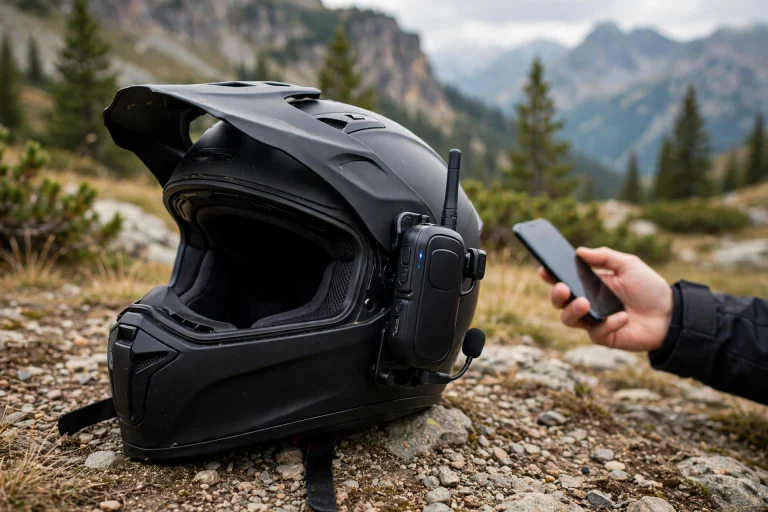
It starts with the microphone. Helmet microphones sit near the mouth, often on a boom or built into the chin area, and they use noise reduction to separate your voice from wind, engine, and road noise. The better the microphone placement and noise reduction, the better the system works at speed.
Your speech is then processed, either on the helmet, on the phone, or in the cloud. Simple commands may be handled locally on the device, which is fast and works without signal. More complex requests, like asking a phone assistant a question, are sent to the phone or the internet for processing, which takes longer and needs a connection.
The system then acts: it answers a call, changes the music, reads out a navigation instruction, or opens a channel to another rider. A confirmation tone or spoken reply tells you the command was understood. When the system misunderstands, it usually asks you to repeat, or it does nothing — which is safer than doing the wrong thing at speed.

What Can You Control by Voice?
Calls are the most common use. You can answer or reject an incoming call, call a contact by name, and redial, all without touching the helmet. For riders who take calls on the move, this is the feature that justifies voice control on its own.
Music and audio come next. Play, pause, skip tracks, and adjust volume are standard voice commands on most systems, and they work well because they are short, distinct commands that the software recognises reliably even in noise.
Navigation and intercom round out the list. You can ask for directions, hear route updates, and open or close intercom channels to riding partners. Some systems also control helmet lights or camera functions by voice, though these vary widely by maker and model.
How Reliable Is Voice Control at Speed?
Reliability drops as speed and noise rise. At low speed or stopped, most systems work well. At motorway speed, wind noise competes with your voice, and recognition errors increase — the system may mishear a command, ask you to repeat, or fail to activate at all. A well-designed helmet with good microphone placement and noise reduction handles this better, but no system is perfect in heavy wind.
Your speaking style matters too. Short, clear commands work better than long sentences, and speaking at a steady volume, close to the microphone, improves recognition. Shouting rarely helps — it distorts the sound and can make recognition worse. Learning the system’s exact command phrases, rather than improvising, also improves results.
Expect to fall back on buttons sometimes. Voice control is a convenience layer, not a replacement for physical controls. On a very noisy day, or with a strong crosswind, buttons may be the reliable option. A good smart helmet keeps both available, so you are never stuck when one method fails.
Is Voice Control Safe While Riding?
Voice control is safer than fumbling with buttons, but it is not distraction-free. Any interaction — speaking a command, listening to a reply, thinking about what to say next — takes some attention from the road. The benefit is that your hands stay on the controls and your eyes stay forward, which is a meaningful improvement over looking down at a device.
Keep commands short and infrequent while riding. Save complex tasks, like choosing a playlist or dictating a message, for stops. If a command fails twice, stop trying and use the buttons or wait until you are stopped — repeating commands in frustration is itself a distraction.
Volume discipline matters as well. Keep audio at a level where traffic sounds, horns, and sirens remain audible. Voice control should make riding easier, not isolate you from the road. And as with any helmet technology, it sits on top of the fundamentals: fit, certification, and condition, including systems that manage angled impacts, as explained in this guide to what MIPS means for helmets. The smartest helmet is still, first, a helmet.
Frequently Asked Questions
Q: Does helmet voice control work without a phone?
A: It depends on the system. Built-in helmet commands for calls, volume, and intercom can work without a phone assistant, but features that rely on a phone assistant need a connected phone, and some need mobile signal as well.
Q: Will voice control understand me with a thick accent or in wind?
A: In general terms, modern systems handle a range of accents reasonably well at low speed, but wind noise reduces accuracy for everyone. Short, clear commands and a well-placed microphone give the best results.
Q: Can I turn voice control off?
A: Yes — most systems let you disable voice activation or the wake word, so the helmet only responds to button presses. This is useful if false activations bother you or you prefer manual control.

Olivia
Writer at Helmet Today, covering helmet reviews, fit and riding safety.