
We may earn a commission when you buy through links on this page, at no extra cost to you. Learn more
The best webcams for streaming in 2026 change how your audience sees you. A sharp, well-lit face cam makes a stream feel professional, while a dim, blurry one distracts from even the best gameplay or presentation. The right webcam keeps you in focus, handles tricky lighting and works with the software you already use.
We compared Full HD and 4K options for streamers, teachers and presenters, weighing image quality, low-light performance, microphones, tracking and software control. Our top pick is the Elgato Facecam MK.2, a Full HD webcam that delivers crisp, uncompressed video and DSLR-style control. The four webcams below it cover budget, premium, 4K and presenter needs.
As an Amazon Associate, Helmet Today earns from qualifying purchases — at no extra cost to you. Prices change often, so use the Check Price buttons to see today’s deal.
| Product | Key Features | Best For | Price |
|---|---|---|---|
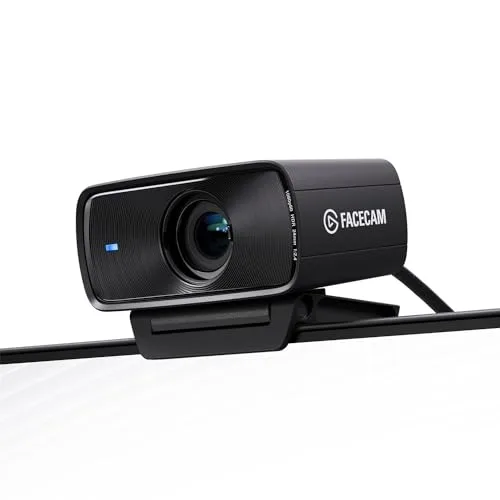 Elgato Facecam MK.2 |
Uncompressed 1080p60; HDR at 1080p30; settings saved on camera | Best Overall | Check Price on Amazon |
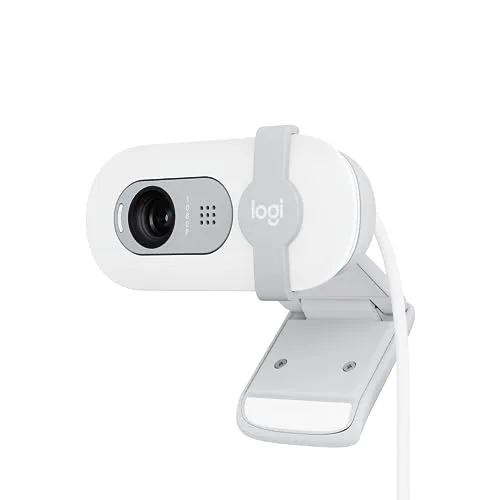 Logitech Brio 100 |
Full HD 1080p; Auto-Light Balance; built-in mic | Best Budget | Check Price on Amazon |
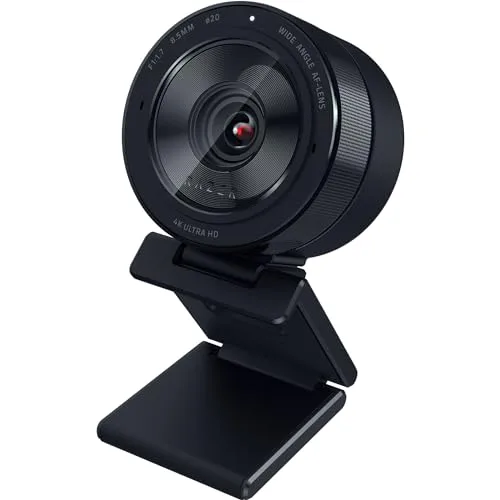 Razer Kiyo Pro Ultra |
1/1.2-inch Sony STARVIS 2 sensor; F/1.7 lens; up to 4K24 | Best Premium | Check Price on Amazon |
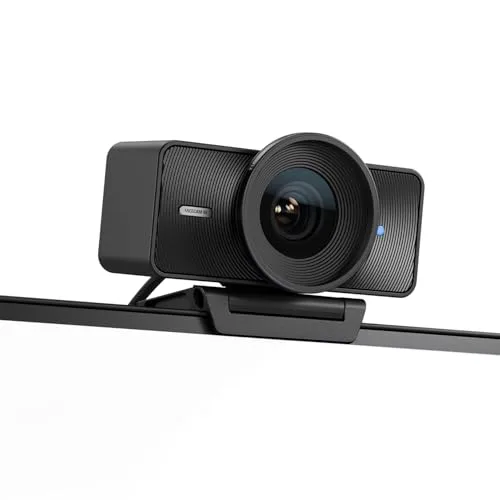 Elgato Facecam 4K |
True 4K60; Sony STARVIS 2 sensor; 49mm filter thread | Best for 4K Streaming | Check Price on Amazon |
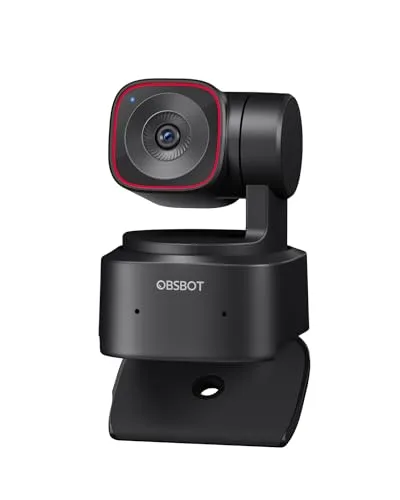 OBSBOT Tiny 2 Lite |
Motorized PTZ AI tracking; 4K; Gesture Control 2.0 | Best for Presenters | Check Price on Amazon |
1. Elgato Facecam MK.2 — Best Overall
The Elgato Facecam MK.2 is our top pick because it nails the picture most streamers actually need. Its uncompressed 1080p60 video over USB 3.0 looks crisp and detailed. HDR at 1080p30 helps when your room has bright windows on one side and shadows on the other.
Camera Hub software gives you DSLR-style control of exposure, ISO and shutter, and your settings are saved on the camera itself, so you do not have to dial them in again on a new computer. Colors stay natural even in dim light, and the built-in sliding privacy shutter covers the lens when you are done streaming.
Key Features
- Uncompressed 1080p60 over USB 3.0 for low-latency detailed streams
- HDR at 1080p30 for high-contrast lighting
- Elgato Camera Hub software with DSLR-style control of exposure, ISO and shutter, settings saved on the camera
- Natural colors even in dim light
- Built-in sliding privacy shutter
Pros
- Crisp uncompressed 1080p60 picture
- HDR handles tricky mixed lighting
- Your settings are saved on the camera itself
Cons
- No built-in microphone, a separate USB mic is needed
- HDR only at 1080p30 and uncompressed 1080p60 needs USB 3.0
2. Logitech Brio 100 — Best Budget
If you want a clear picture without spending much, the Logitech Brio 100 is the easiest place to start. Its Full HD 1080p video is a clear step up from a built-in laptop camera, and Auto-Light Balance, also known as RightLight, boosts brightness and reduces shadows in dim rooms.
It is true plug-and-play over USB-A, with a built-in microphone and an integrated sliding privacy cover, so there is nothing extra to buy or set up. It works with Teams, Zoom, Meet and streaming software, which makes it a good first webcam for meetings, classes and casual streams alike.
Key Features
- Full HD 1080p video, a clear step up from built-in laptop cameras
- Auto-Light Balance (RightLight) boosts brightness by up to 50% and reduces shadows
- Built-in microphone
- Integrated sliding privacy cover
- Plug-and-play USB-A for Teams, Zoom, Meet and streaming software
Pros
- True plug-and-play with a built-in mic
- Auto light balance brightens dim rooms
- Privacy cover built in
Cons
- Caps out at 1080p with no 60fps option
- Fixed-focus lens and a basic mic that serious streamers will outgrow
3. Razer Kiyo Pro Ultra — Best Premium
The Razer Kiyo Pro Ultra is the premium pick for streamers who record in dim rooms. Its huge 1/1.2-inch Sony STARVIS 2 sensor, the largest in a webcam, gathers far more light per pixel than a typical webcam sensor, and the fast F/1.7 lens adds low-light reach and true optical background blur.
It outputs uncompressed video up to 4K24, 1440p30 or 1080p60, with HDR at 30fps, and AI face tracking and auto light correction keep you framed and well exposed as you move. A built-in mic, privacy shutter and on-board memory round out the package.
Key Features
- Huge 1/1.2″ Sony STARVIS 2 sensor, the largest in a webcam, for far more light per pixel
- Fast F/1.7 lens for low light and true optical background blur
- Uncompressed output up to 4K24 / 1440p30 / 1080p60 with HDR at 30fps
- AI face tracking and auto light correction
- Built-in mic, privacy shutter and on-board memory for settings
Pros
- Best low-light image in this roundup
- Real optical background blur without software
- Built-in mic and shutter included
Cons
- By far the most expensive pick here
- Advanced settings software is Windows-only and the unit is big and heavy for a webcam
4. Elgato Facecam 4K — Best for 4K Streaming
The Elgato Facecam 4K is the sharpest webcam here, with true 4K at 60fps that stays smooth and detailed even when you crop in. Its Sony STARVIS 2 sensor and Elgato Prime Lens give it a clean, professional look, and Camera Hub offers DSLR-style control over exposure, framing and white balance.
It accepts standard 49mm lens filters, just like a real camera, and its uncompressed video and HDR support, with settings saved on built-in flash memory, mean your look travels with the camera. That makes it the best choice for maximum sharpness and cropping headroom.
Key Features
- True 4K at 60fps, the sharpest and smoothest image here
- Sony STARVIS 2 sensor with Elgato Prime Lens
- Camera Hub DSLR-style control over exposure, framing and white balance
- Accepts standard 49mm lens filters
- Uncompressed video, HDR support, settings saved on built-in flash memory
Pros
- Unmatched 4K60 sharpness for cropping headroom
- Filter thread like a real camera
- Settings persist on the camera
Cons
- No built-in microphone at all, a separate mic is mandatory
- Fixed-focus lens and the second-highest price here
5. OBSBOT Tiny 2 Lite — Best for Presenters
The OBSBOT Tiny 2 Lite is built for people who move while they present. Its motorized PTZ gimbal uses AI auto-tracking to physically follow you around the room, so you stay framed while you teach, demo a product or walk to a whiteboard. The large 1/2-inch CMOS sensor gives it strong 4K quality.
Gesture Control 2.0 lets you lock tracking and zoom with hand gestures, with no remote needed, and preset positions with per-preset parameters let you jump between framing choices in one move. Plug-and-play setup, plus Stream Deck and hotkey support, makes it easy to fit into a streaming or teaching workflow.
Key Features
- Motorized PTZ gimbal with AI auto-tracking that physically follows you around the room
- 4K resolution with a large 1/2″ CMOS sensor
- Gesture Control 2.0 to lock tracking and zoom with hand gestures
- Preset positions with per-preset parameters
- Plug-and-play plus Stream Deck and hotkey support
Pros
- The camera follows you, perfect for teaching and demos
- Gesture control needs no remote
- Big sensor gives strong 4K quality
Cons
- The Lite model drops some full Tiny 2 features like voice control and whiteboard mode
- Getting the most from tracking and presets means setting up OBSBOT’s software
Buying Guide: How to Choose a Webcam for Streaming
Resolution and frame rate
1080p60 is the sweet spot for most streamers, giving smooth motion without demanding too much from your PC or connection. Go 4K only if your platform, PC and upload bandwidth can handle it, or if you want crop and zoom headroom for reframing your shot.
Sensor size and low-light performance
A larger sensor and wide-aperture lens do more for a dim room than megapixels alone, so prioritize sensor size, HDR and light correction for night streaming.
Focus type and field of view
Autofocus or AI tracking suits people who move, because the camera keeps them sharp as they lean in or step back. Fixed focus is cheaper but has a sweet spot you need to sit in, and a 78–90° field of view frames one person plus some background without making the room look empty.
Microphone situation
Many pro streaming webcams have no built-in mic by design, because streamers usually prefer a dedicated USB microphone. Check before you buy and budget for a USB mic if needed, so you are not caught without audio on your first stream.
Software, connection and controls
Companion apps unlock exposure and white-balance control that can transform a flat image, so check what software a webcam offers. Uncompressed high-frame-rate modes need USB 3.0, and a privacy shutter, tripod thread and Stream Deck support round out a streaming setup.
Frequently Asked Questions
Is 1080p or 4K better for streaming?
1080p is better for most streamers, because it is smoother, easier on your PC and connection, and matches what most viewers watch. 4K is better if you record for later editing, want to crop or zoom without losing detail, or stream on a platform that supports it.
Do streaming webcams have microphones?
Some do and some do not. Budget webcams usually include a basic built-in mic, which is fine for calls and casual streams. Many pro streaming webcams leave the mic out on purpose, because a dedicated USB microphone sounds much better, so check the specs and budget for one if your pick has no mic.
What lighting works best with a webcam?
Soft, even light on your face works best, such as a key light or ring light placed in front of you, slightly above eye level. Avoid a bright window behind you, which turns you into a silhouette, and add a little fill light if one side of your face falls into shadow.
Conclusion
The Elgato Facecam MK.2 is our top pick for most streamers, because it combines crisp uncompressed 1080p60 video, HDR for tricky lighting and DSLR-style controls with settings saved on the camera. If you want the sharpest picture and room to crop, the Elgato Facecam 4K is the runner-up, with true 4K60 and a filter thread like a real camera. Check your platform and connection before you buy.

Olivia
Writer at Helmet Today, covering helmet reviews, fit and riding safety.