
We may earn a commission when you buy through links on this page, at no extra cost to you. Learn more
A slow router makes even the fastest internet plan feel sluggish. The best wifi routers in 2026 pair fast Wi-Fi 6 or Wi-Fi 7 radios with whole-home coverage, smart security, and room for dozens of devices. After comparing speed, coverage, ports, and subscription costs, one router stood out for most homes: the TP-Link Archer AX55, a Wi-Fi 6 router with strong whole-home coverage and free basic security.
This guide compares five routers for different homes and budgets, from a budget Wi-Fi 6 router to a premium Wi-Fi 7 model and a mesh system that ends dead zones. Use the table to find your match, then read each review before you decide.
As an Amazon Associate, Helmet Today earns from qualifying purchases — at no extra cost to you. Prices change often, so use the Check Price buttons to see today’s deal.
| Product | Key Features | Best For | Price |
|---|---|---|---|
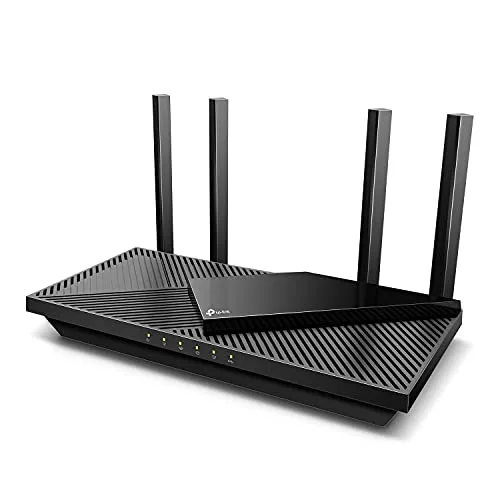 TP-Link Archer AX55 |
Wi-Fi 6 AX3000, OFDMA, 4 antennas, Beamforming, HomeShield | Most homes | Check Price on Amazon |
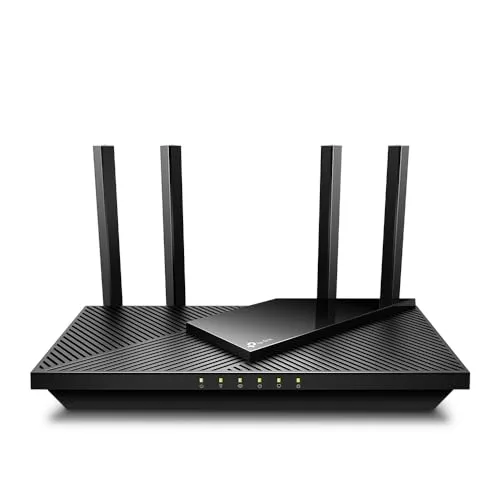 TP-Link Archer AX21 |
Wi-Fi 6 AX1800, OFDMA, Beamforming, 4 antennas, VPN server | Budget buyers | Check Price on Amazon |
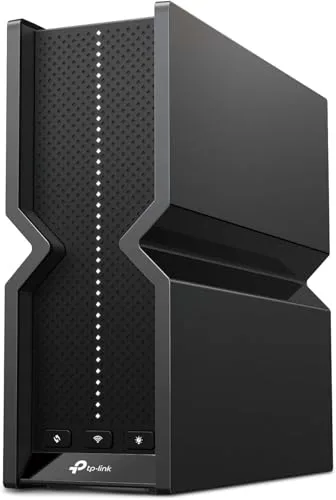 TP-Link Archer BE550 |
Wi-Fi 7 BE9300, tri-band, 6 GHz, 2.5G ports, EasyMesh | Premium setups | Check Price on Amazon |
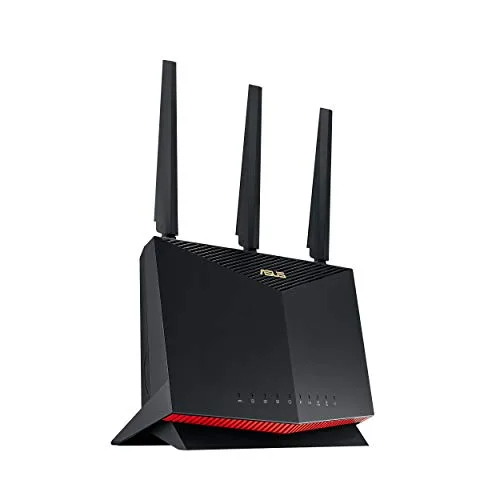 ASUS RT-AX86U Pro |
Wi-Fi 6 AX5700, 2.5G port, gaming port, AiProtection Pro | Gamers | Check Price on Amazon |
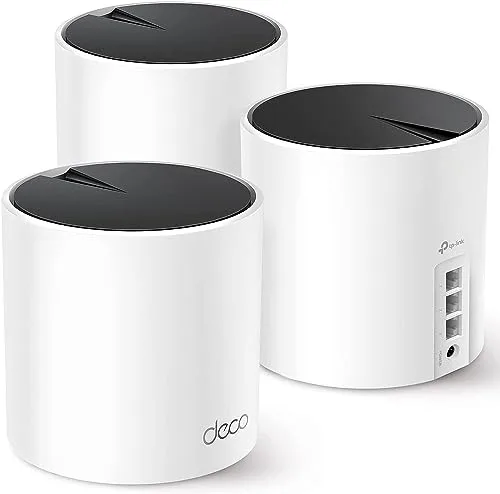 TP-Link Deco X55 |
Wi-Fi 6 AX3000 mesh, 3-pack, 6,500 sq ft, 150 devices | Large homes | Check Price on Amazon |
1. TP-Link Archer AX55 — Best Overall
The TP-Link Archer AX55 is the router to buy for fast, reliable Wi-Fi without paying for features you will never use. Its Wi-Fi 6 AX3000 speeds (2402 Mbps on 5 GHz plus 574 Mbps on 2.4 GHz) cover 4K streaming, video calls, and gaming at the same time, and OFDMA lets many devices share a band at once, cutting latency when the household is online.
Four high-gain antennas plus Beamforming push the signal through walls and across a home, and the free basic HomeShield security and parental controls cover the essentials without a subscription. The limits are future-proofing: it is Wi-Fi 6 only with no 6 GHz band, its ports are gigabit only, and advanced HomeShield Pro features need a paid subscription.
Key Features
- Wi-Fi 6 AX3000 speeds (2402 Mbps on 5 GHz + 574 Mbps on 2.4 GHz)
- OFDMA lets many devices share a band at once
- 4 high-gain antennas plus Beamforming for whole-home coverage
- TP-Link HomeShield basic security included free
- Works with Alexa
Pros
- Strong Wi-Fi 6 speed for the money
- Good whole-home coverage
- Free basic security and parental controls
Cons
- Wi-Fi 6 only, no 6 GHz band for future-proofing
- Gigabit ports only and advanced HomeShield Pro features need a paid subscription
2. TP-Link Archer AX21 — Best Budget
The TP-Link Archer AX21 brings real Wi-Fi 6 to an entry price. Its dual-band AX1800 speeds (up to 1201 Mbps on 5 GHz plus 574 Mbps on 2.4 GHz) cover streaming, browsing, and video calls, and OFDMA reduces congestion when many devices are online at once. Beamforming, four high-gain antennas, and an advanced front-end module give it wide coverage for its class.
Setup is easy and it works with all major ISPs, a simple drop-in upgrade from an ISP-provided router. The trade-offs are speed and extras: AX1800 speeds and a gigabit WAN port cap it on gigabit-plus plans, and it has no HomeShield suite and is dual-band only. For a smaller home on a standard plan, it is the best value here.
Key Features
- Dual-band Wi-Fi 6 AX1800 (up to 1201 Mbps on 5 GHz + 574 Mbps on 2.4 GHz)
- OFDMA reduces congestion with many devices
- Beamforming, 4 high-gain antennas and an advanced front-end module
- OpenVPN/PPTP VPN server support
- Works with all major ISPs
Pros
- Real Wi-Fi 6 at an entry price
- Wide coverage for its class
- Easy setup with broad ISP compatibility
Cons
- AX1800 speeds and a gigabit WAN port cap it on gigabit-plus plans and very busy households
- No HomeShield suite and dual-band only
3. TP-Link Archer BE550 — Best Premium
The TP-Link Archer BE550 is the router to buy if you want Wi-Fi 7 today. Its tri-band BE9300 radio (5760 Mbps on 6 GHz plus 2880 Mbps on 5 GHz plus 574 Mbps on 2.4 GHz) uses Multi-Link Operation, 4K-QAM, and 320 MHz channels, and the 6 GHz band gives busy households a clear lane away from crowded traffic.
Full 2.5G ports (one 2.5G WAN plus four 2.5G LAN) handle a multi-gig internet plan, and EasyMesh lets you expand it into a mesh system later. The downsides are price — the highest tier of the standalone routers here — and full Wi-Fi 7 benefits need Wi-Fi 7 devices.
Key Features
- Tri-band Wi-Fi 7 BE9300 (5760 Mbps 6 GHz + 2880 Mbps 5 GHz + 574 Mbps 2.4 GHz)
- Multi-Link Operation, 4K-QAM and 320 MHz channels
- Full 2.5G ports (one 2.5G WAN + four 2.5G LAN) for multi-gig plans
- EasyMesh compatible
- 6 antennas plus Beamforming; HomeShield security with a private IoT network
Pros
- True Wi-Fi 7 speed with a clear 6 GHz lane
- 2.5G ports throughout
- Mesh-expandable later
Cons
- The highest price tier of the standalone routers here
- Full Wi-Fi 7 benefits need Wi-Fi 7 devices, and advanced HomeShield Pro features are subscription-based
4. ASUS RT-AX86U Pro — Best for Gaming
The ASUS RT-AX86U Pro is built for gamers who want every millisecond. Its Wi-Fi 6 AX5700 radio with 160 MHz channels is backed by a 2.0 GHz quad-core CPU with 1 GB of RAM, so it stays responsive with a house full of devices. Mobile Game Mode minimizes mobile gaming lag with one tap, and a dedicated gaming port keeps your console or PC first.
A 2.5 Gbps port and aggregated WAN support true 2 Gbps speeds, and AiProtection Pro security is subscription-free for life. Instant Guard gives you a one-click VPN, and AiMesh extends coverage. The trade-offs are a premium price for Wi-Fi 6 with no 6 GHz band, a large footprint, and a deep settings menu that can overwhelm beginners.
Key Features
- Wi-Fi 6 AX5700 with 160 MHz channels and a 2.0 GHz quad-core CPU with 1 GB RAM
- Mobile Game Mode minimizes mobile gaming lag, plus a dedicated gaming port and port forwarding
- 2.5 Gbps port and aggregated WAN for true 2 Gbps speeds
- AiProtection Pro security, subscription-free for life
- Instant Guard one-click VPN; AiMesh extendable
Pros
- Gaming features that actually cut lag
- Lifetime free security, no subscription
- Powerful hardware handles busy homes
Cons
- Premium price yet still Wi-Fi 6 with no 6 GHz band
- Large tall footprint and a deep settings menu that can overwhelm beginners
5. TP-Link Deco X55 — Best Mesh for Large Homes
The TP-Link Deco X55 is the answer to dead zones. This three-pack Wi-Fi 6 AX3000 mesh system covers up to 6,500 sq ft, reaching the far bedroom, the basement, and the backyard office. It connects up to 150 devices with seamless roaming under one network name, so your phone never drops a call between rooms.
Each unit has three Gigabit Ethernet ports and supports wired backhaul, and AI-Driven Mesh learns your home. Setup takes minutes in the Deco app. The limits are speed and subscriptions: it is dual-band only with gigabit ports, capping plans above 1 Gbps, and advanced parental controls and security reports need the paid HomeShield Pro subscription.
Key Features
- Wi-Fi 6 AX3000 mesh covering up to 6,500 sq ft
- Connects up to 150 devices with seamless roaming under one network name
- Each unit has 3 Gigabit Ethernet ports and supports wired backhaul
- AI-Driven Mesh learns your home
- Minutes-fast setup in the Deco app
Pros
- Ends dead zones across big multi-story homes
- One network name everywhere
- Simple app setup
Cons
- Dual-band only with gigabit ports, capping plans above 1 Gbps
- Advanced parental controls and security reports sit behind the paid HomeShield Pro subscription
Buying Guide: How to Choose a WiFi Router
Wi-Fi standard and speed class
Match the router class to your internet plan: a router slower than your plan wastes the connection, and Wi-Fi 7 pays off mainly with Wi-Fi 7 devices.
Coverage and home layout
Single routers suit apartments and small homes; multi-story or 2,500+ sq ft homes with dead zones need mesh or an extendable router. Walls and floors shrink real-world range.
Bands: dual-band vs tri-band (6 GHz)
A third band gives busy households and gamers a clear fast lane away from crowded traffic, and it can serve as dedicated mesh backhaul. Dual-band is fine for smaller homes.
Ports and wired connectivity
Count LAN ports for consoles, TVs, and PCs before you buy. Gigabit ports cap plans around 1 Gbps, while 2.5G ports serve multi-gig plans and fast local transfers between devices on your network.
Device capacity and software features
OFDMA and MU-MIMO keep many-device homes smooth. Check security and parental controls too, since advanced features often need a subscription while a few brands include them free for life.
Frequently Asked Questions
Is Wi-Fi 7 worth it yet?
For most homes, not yet. Wi-Fi 7 routers are faster and add a clear 6 GHz lane, but you only see the full benefit with Wi-Fi 7 phones, laptops, and consoles. If your devices are Wi-Fi 6 or older, a good Wi-Fi 6 router like the Archer AX55 gives you nearly the same experience for less. Buy Wi-Fi 7 if you are on a multi-gig plan or want the longest life from your router.
How many Mbps do I need for streaming and gaming?
A single 4K stream needs about 25 Mbps, and online gaming uses surprisingly little — usually under 10 Mbps — but both suffer from latency and congestion, not just raw speed. A household with two 4K streams, video calls, and gaming at once is comfortable on a 200–300 Mbps plan. What matters more is a router with OFDMA, so one person’s download does not stall everyone else.
Router or mesh system for a big house?
Choose a single powerful router if your home is under about 2,500 sq ft with an open layout. Choose mesh if you have dead zones, multiple floors, or thick walls. Mesh systems like the Deco X55 keep one network name everywhere, so your devices roam without dropping.
Conclusion
For most homes, the TP-Link Archer AX55 is the best wifi router to buy in 2026: strong Wi-Fi 6 speed, whole-home coverage, and free basic security at a sensible price. If your home has dead zones or spans multiple floors, the TP-Link Deco X55 is the runner-up — its three-pack mesh covers up to 6,500 sq ft under one network name. Whichever you choose, match the router to your plan and floor plan, and check the subscription cost before you buy.

Olivia
Writer at Helmet Today, covering helmet reviews, fit and riding safety.