
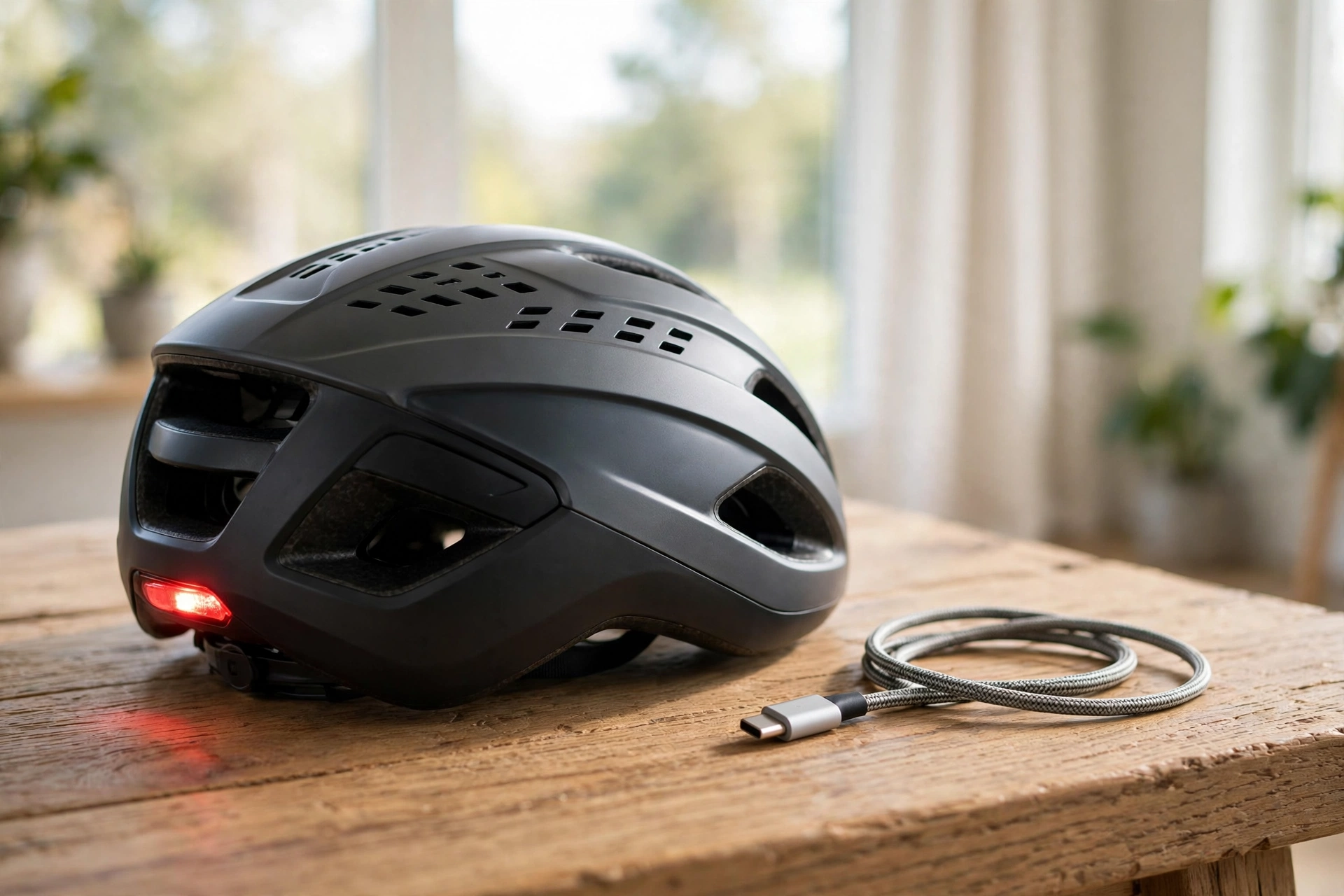
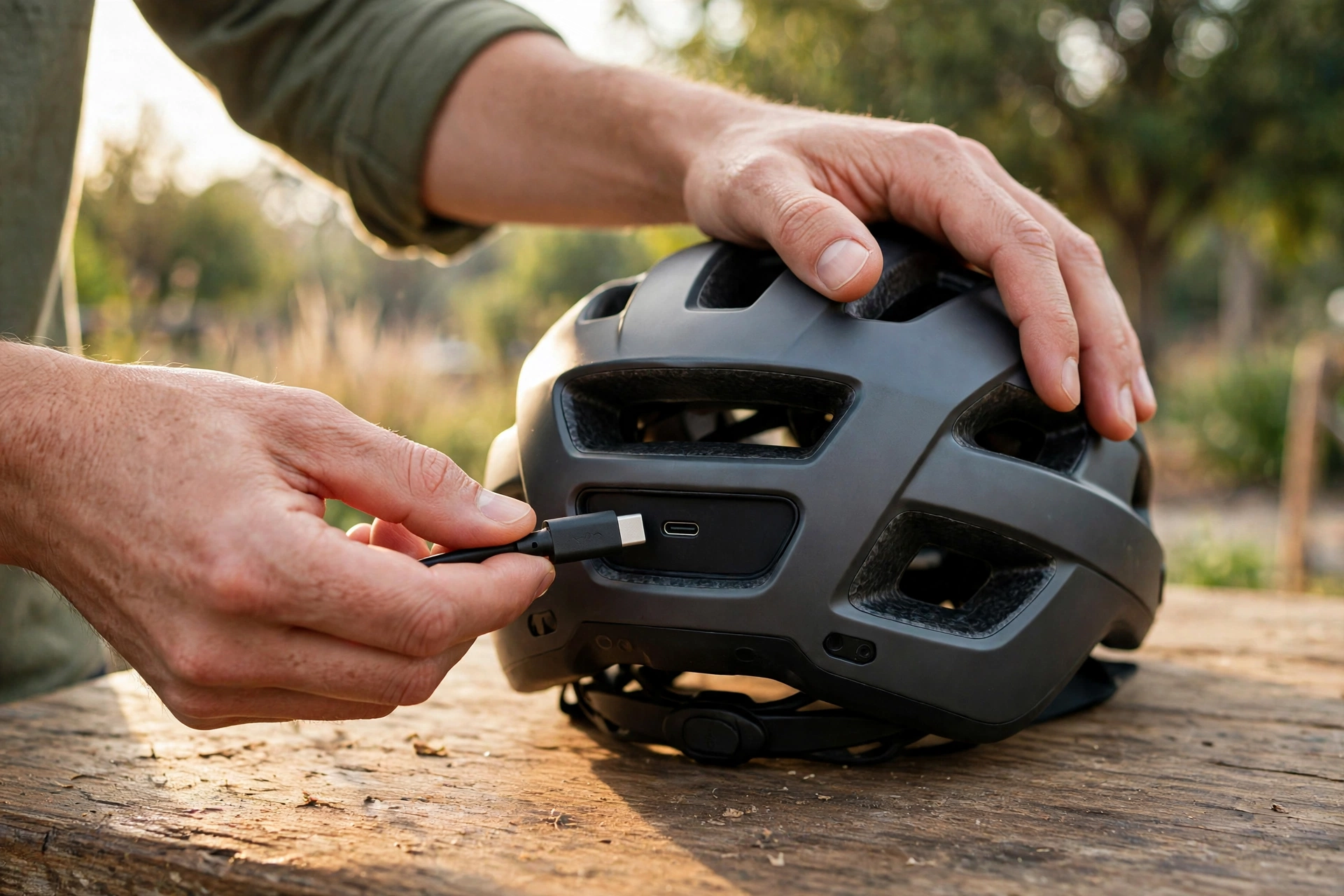
A helmet with a USB-C charging port is a helmet that has a small USB-C socket built in, so you can recharge the helmet’s electronics — such as lights, sensors, speakers, or a Bluetooth module — with the same cable you probably already use for your phone. The port does not charge the helmet’s protective shell, which needs no power at all; it charges the smart features that run on a battery. In general terms, USB-C has become the standard charging connector because it is reversible, widely available, and can carry enough power to charge small devices quickly.
What Does the USB-C Port on a Helmet Actually Charge?
The USB-C port charges the battery inside the helmet, and that battery powers whatever electronic features the helmet has. In many smart helmets, the main feature is a set of integrated lights — a rear light, sometimes a front light, and occasionally turn signals built into the back of the helmet. Those lights need regular charging, and the USB-C port is how you do it.
Other helmets use the battery for Bluetooth speakers or a communication system, so you can listen to music, take calls, or talk to other riders without earphones. Some helmets have sensors for fitness tracking, heart-rate monitoring, or crash detection, and those need power too. The USB-C port is the single charging point for all of these features, whatever they are.
It is worth being clear about what the port does not do. It does not charge your phone, and it does not power the helmet’s protection. The shell, the padding, and the impact-absorbing liner work without any electricity, and they keep working even when the battery is completely flat. The USB-C port only matters for the electronic extras.
Why Is USB-C Better Than Older Charging Connectors on Helmets?
The biggest advantage is that the connector is reversible. Older micro-USB plugs only go in one way, and many riders have fumbled with them in the dark or broken a port by forcing the plug in upside down. A USB-C plug goes in either way up, which sounds like a small thing until you are trying to charge your helmet in a dim garage after a long ride.
The second advantage is that you probably already own the cable. USB-C is now the standard connector on most phones, tablets, laptops, and earphones, so the chances are good that you have a cable at home, in your bag, or in your car. That means you are less likely to be caught without a way to charge your helmet, and you do not need to carry a special cable just for the helmet.
Finally, USB-C ports tend to be more durable than the older micro-USB ports, because the connector is sturdier and the port is designed to handle more insertions. A helmet port gets plugged and unplugged a lot over its life, and a port that wears out can be expensive or impossible to repair. A well-made USB-C port should last longer, which matters for something you use several times a week. If you are curious about the safety technology inside modern helmets more broadly, reading about what MIPS is for helmets can help you understand how helmets protect your head in a crash.
How Long Does the Battery Last, and How Do You Look After It?
Battery life depends on what the helmet is doing. If you only use a rear light on a low setting, the battery can last for many hours of riding — often enough for a week of commutes. If you use bright lights, Bluetooth speakers, and sensors all at once, the battery will run down much faster, sometimes in just a few hours. In general terms, the more features you switch on, the shorter the battery life.
Looking after the battery is mostly common sense. Charge it with a standard USB-C charger rather than a very powerful fast charger, unless the maker says fast charging is supported. Avoid leaving the helmet in a very hot car or in freezing conditions while charging, because extreme temperatures can damage the battery over time. And try not to leave the battery completely flat for weeks on end, because that can shorten its life.
What Should You Check Before Buying a Helmet with a USB-C Port?
The first thing to check is where the port is and how well it is protected. The port is usually on the back or the side of the helmet, under a rubber cover. Look for a cover that fits snugly and stays closed while you ride, because rain and sweat can get into an exposed port and cause damage over time. A port that is easy to reach but well protected is the best combination.
The second thing is what the port actually charges. Some helmets have a USB-C port that charges everything, while others use it only for the lights and have a separate way of charging other features. Check the maker’s description carefully, and make sure the features you care about are the ones the port charges. It is also worth checking whether the helmet comes with a cable in the box, or whether you need to supply your own.
Compatibility is usually straightforward, because USB-C is a standard. Any USB-C cable should fit, and any standard USB charger should work. But there are a few exceptions: some very cheap cables do not carry power reliably, and some helmets are fussy about which charger they will accept. If you can, test the helmet with the cable and charger you plan to use before you commit, or at least check the maker’s guidance on compatible chargers.
Is a USB-C Charging Port Worth Paying Extra For?
For most riders with a smart helmet, the answer is yes — but the port on its own is rarely the reason to pay more. USB-C is now so common that it is becoming the default on new smart helmets, and you are more likely to find it included than to pay a premium for it. If you are choosing between two similar helmets, one with USB-C and one with an older connector, the USB-C one is the better choice for the convenience alone.
The port is most valuable if you already use USB-C for everything else. If your phone, your earphones, and your other devices all charge with the same cable, having the helmet use the same one means one less cable to carry and one less thing to lose. That simplicity adds up over time, especially if you travel with your helmet or charge it away from home.
Frequently Asked Questions
Q: Can I charge my helmet with my phone charger?
A: In general terms, yes. Most helmets with a USB-C port can be charged with any standard USB-C phone charger. Check the maker’s guidance first, and avoid using a very powerful fast charger unless the helmet supports it.
Q: Does the helmet still protect me if the battery is flat?
A: Yes. The shell, padding, and liner protect your head without any power. A flat battery only stops the electronic features, such as the lights or speakers, from working.
Q: What if the USB-C port gets wet in the rain?
A: Most helmets have a rubber cover over the port to keep water out, and the port itself is designed to handle light rain. Dry the port before charging, and do not plug in a cable while the port is wet.

Olivia
Writer at Helmet Today, covering helmet reviews, fit and riding safety.