
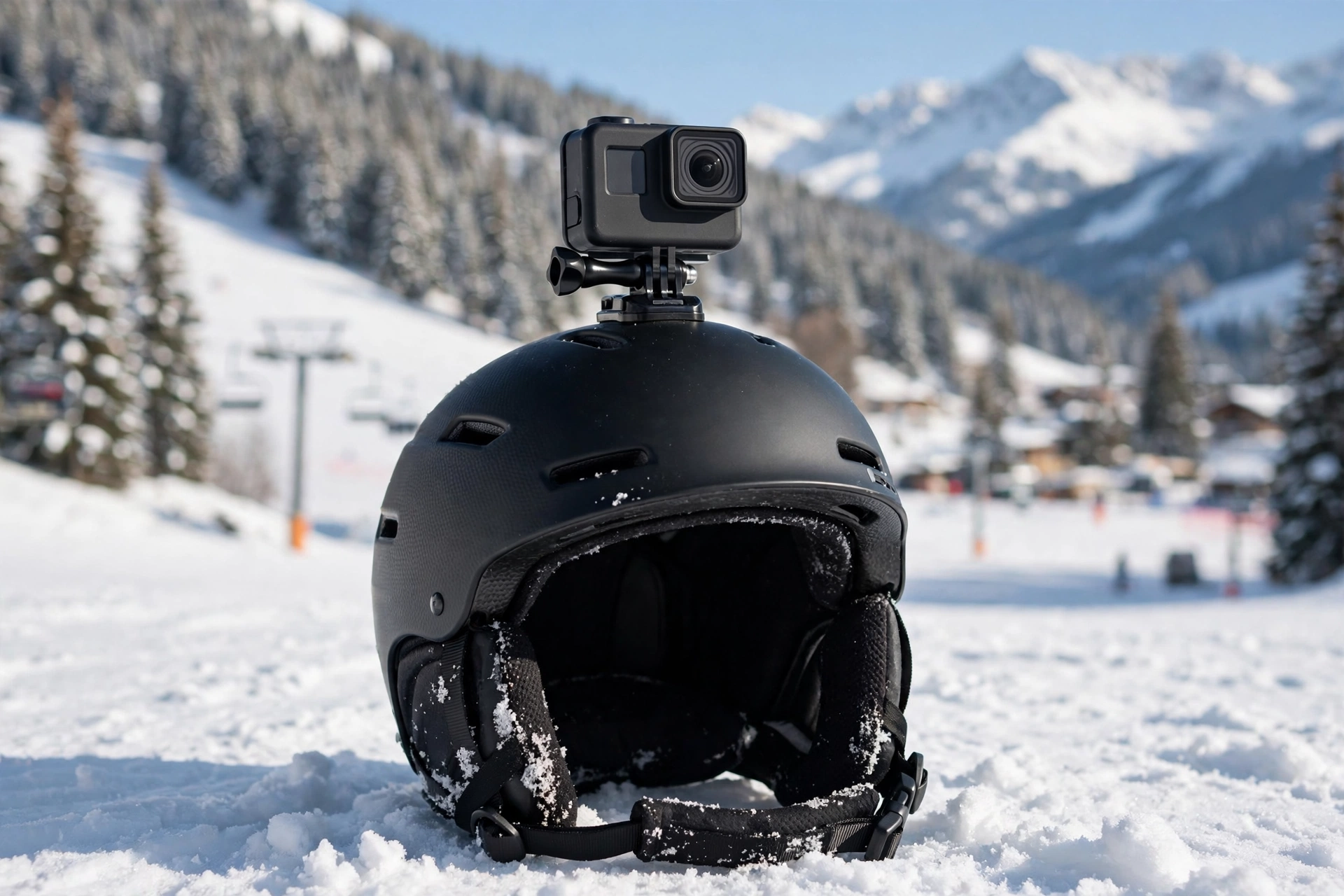
Attach a camera to a snowboard helmet with a curved adhesive mount placed on the top or front of the shell, on a clean, dry surface, and let the adhesive cure for a full 24 hours before riding. Always add a safety tether, and check the mount with a firm tug before every session. Done this way, the setup is secure; done in a hurry, the camera usually ends up buried in the snow.
Where is the best place to mount a camera on a snowboard helmet?
The top-center of the shell is the most popular position. It gives a high, stable viewpoint, keeps the camera clear of your goggles, and rarely interferes with the helmet’s fit or vents. The trade-off is clearance: a top-mounted camera adds height, so watch for lift gates, tree branches, and low doorways, especially on lifts.
A front mount, just above the goggles, produces footage closest to your real eye line and is easy to reach for checking the recording light. A side mount captures a profile-style view and can include part of your body and board, which many riders like for technique review, but it unbalances the helmet slightly and is the most likely to get knocked in a fall. A chin-area or lower-front mount is steadier than the top on bumpy terrain, though not all shells have a flat enough area there.
Whichever spot you choose, pick a smooth area away from vents, the fit dial, and the goggle strap path, and make sure the camera will not block vent sliders you still need to operate.
How do you prepare the shell and apply an adhesive mount?
Adhesive mounts fail because of surface prep, not because the adhesive is weak. Start by cleaning the exact spot with a cloth dampened with plain water or a little isopropyl alcohol, then let it dry completely. Do not apply a mount to a cold shell in a cold garage — adhesives bond best at normal room temperature, so bring the helmet indoors and let it warm up first.
Peel the backing, position the curved adhesive base so it matches the shell’s contour with no rocking or gaps at the edges, and press it down firmly and evenly for at least a minute. Then comes the step most riders skip: leave it alone for a full 24 hours before attaching the camera or riding. The adhesive reaches full strength over that curing period, and mounts loaded too early are the ones that peel off on the mountain.
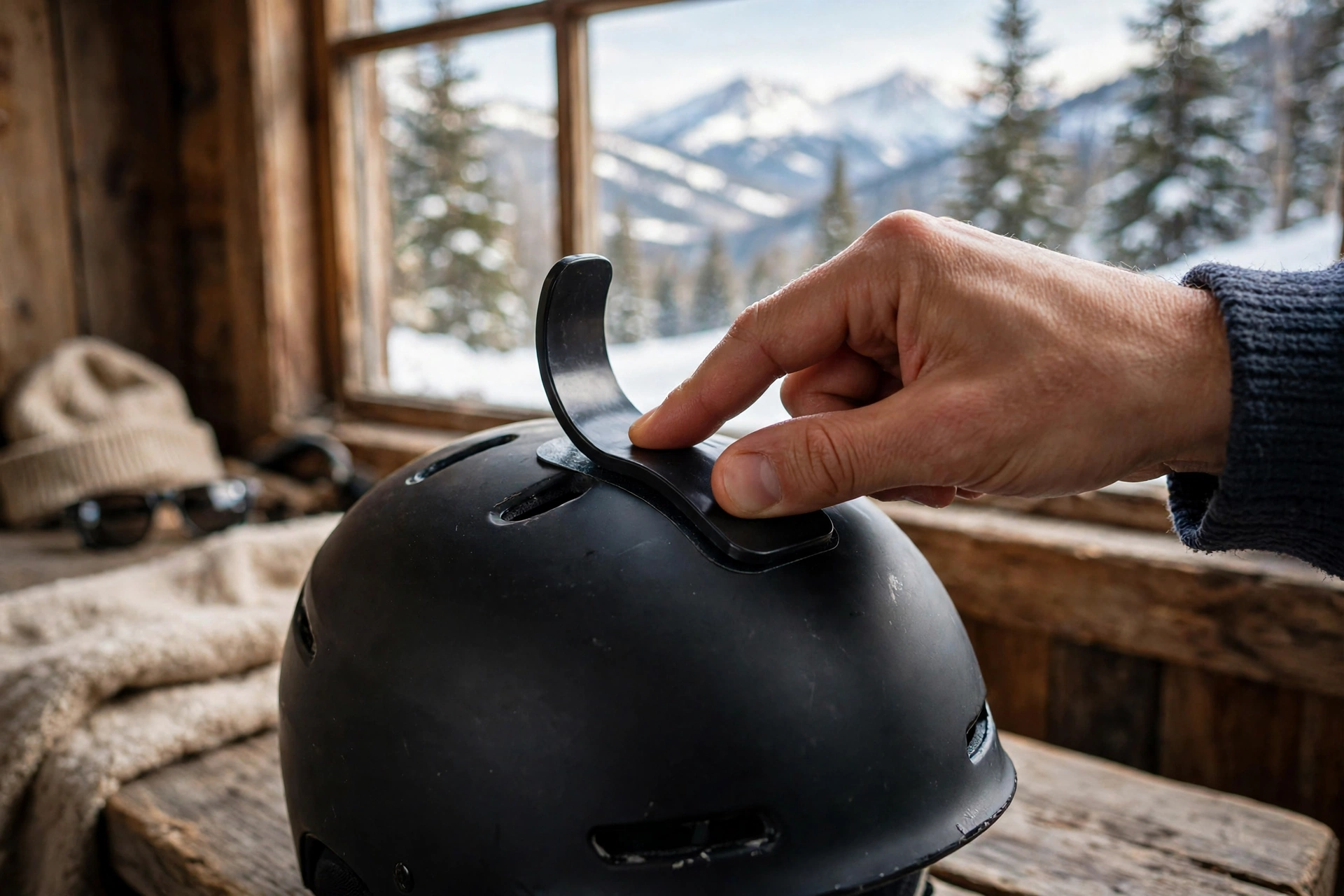
Once cured, click the camera housing into the mount, set your angle with the camera powered on so you can preview the framing, and tighten the thumbscrew firmly by hand. A small piece of tape on the housing showing the level line helps you re-aim quickly later.
Why should you always use a safety tether?
A tether is a short cord that connects the camera to a second, separate adhesive anchor on the helmet. If the main mount releases — in a fall, a branch strike, or simple adhesive failure — the camera dangles from the tether instead of vanishing into the snow or bouncing down the slope toward other riders.
Fit the tether anchor a few inches from the main mount, using its own adhesive pad, and leave a little slack so the camera can be adjusted. Loop the cord through the camera housing’s tether point rather than around the mount arm. Tethers cost almost nothing and weigh almost nothing; losing a camera, or having one become a hazard on the piste, costs a lot more. Check the cord for fraying each time you check the mount.
Do helmet camera mounts affect safety or certification?
This is a genuine debate, and you should know both sides. Helmets are certified in the condition they are sold. Manufacturers and certification bodies generally do not test helmets with cameras attached, and some helmet makers state that adding mounts or accessories voids their warranty or certification. A rigid camera on the shell can also concentrate force in one spot in a crash, or catch on snow and add a twisting motion as you slide.
On the other side, adhesive mounts are designed to break away under heavy load, and millions of riders use them without incident. What a mount does not protect is the helmet’s core job: impact absorption still depends on the foam, and rotational systems such as the one explained in our guide to what MIPS is and how it works cannot compensate for a badly placed rigid accessory. A sensible middle path is to use the manufacturer’s own approved mount if one exists, keep the camera and mount as low-profile as possible, never drill or screw into a shell — which definitely compromises it — and retire any helmet that has taken a serious fall, camera or not.
What are the alternatives to a helmet-mounted camera?
A chest mount is the most popular alternative. It survives falls better, cannot affect helmet certification, and produces a stable view that includes your arms and board — though it films lower and can be blocked by your jacket or arms on heelside turns. A goggle strap mount keeps the camera near eye level without touching the shell, as long as your strap has a suitable mounting band.
Pole and handheld mounts give flexible angles and keep everything off your body, but occupy a hand. Some riders also mount the camera on the board itself for short clips. If you mostly review your own technique, a friend filming from the side of the run often beats every mounted option — but for everyday convenience, the chest mount is the easiest safe compromise.
How do you check the mount before riding?
Before the first lift, grip the camera and try to rock it. The mount should feel completely solid, with no clicking, flexing at the pad edges, or movement in the buckle. Peel risk shows up as a lifted corner on the adhesive pad — if an edge is lifting, remove the mount, clean the shell, and start again with a fresh adhesive pad rather than pressing it back down.
Confirm the tether is attached and sound, the thumbscrew is tight, the lens is clean, and the camera is actually recording with the angle you want. Repeat the tug test after any fall or branch strike. Two minutes of checking at the lift beats searching a slope for a camera you will never find.
Frequently Asked Questions
Can you use the adhesive mount that comes in the camera box?
Yes — the curved adhesive base supplied with most action cameras is designed for helmet shells. Use a fresh pad, clean the shell first, and let it cure for 24 hours.
Can you remove a camera mount from a snowboard helmet later?
Yes. Warm the pad gently with your hands and work dental floss or fishing line behind it in a sawing motion, then clean off the residue with a soft cloth. Never pry with a metal tool, which can gouge the shell.
Is a top mount or chest mount better for snowboarding?
A top helmet mount gives the highest, clearest view but adds height and catch risk. A chest mount is safer and steadier in falls but films lower. Many riders use both.

Olivia
Writer at Helmet Today, covering helmet reviews, fit and riding safety.